
PowerPoint to Keynote, checked before you open it
A colleague sends a PPTX and you work in Keynote. Dock opens the PowerPoint file in your browser and gives you a Keynote file, naming any fonts in it that a Mac doesn't have. When you send it back, download a PPTX again.


Works on the Free plan. Downloads have no watermark.
Why a PowerPoint file looks different in Keynote
PowerPoint decks made on Windows often use fonts that a Mac doesn't have. Keynote swaps in another font, and lines wrap in new places.
What you can check in Dock first
Every slide in the browser
Open the PPTX in Dock and page through it before you download anything.
A font check with the download
A Keynote file can't carry its fonts, so when the download is done Dock names the ones a Mac doesn't have. Switch them with Replace Fonts, then download again.
Both formats from one deck
Download a Keynote file for yourself and a PPTX for the people who sent it.
A real example: one PowerPoint deck, converted in Dock
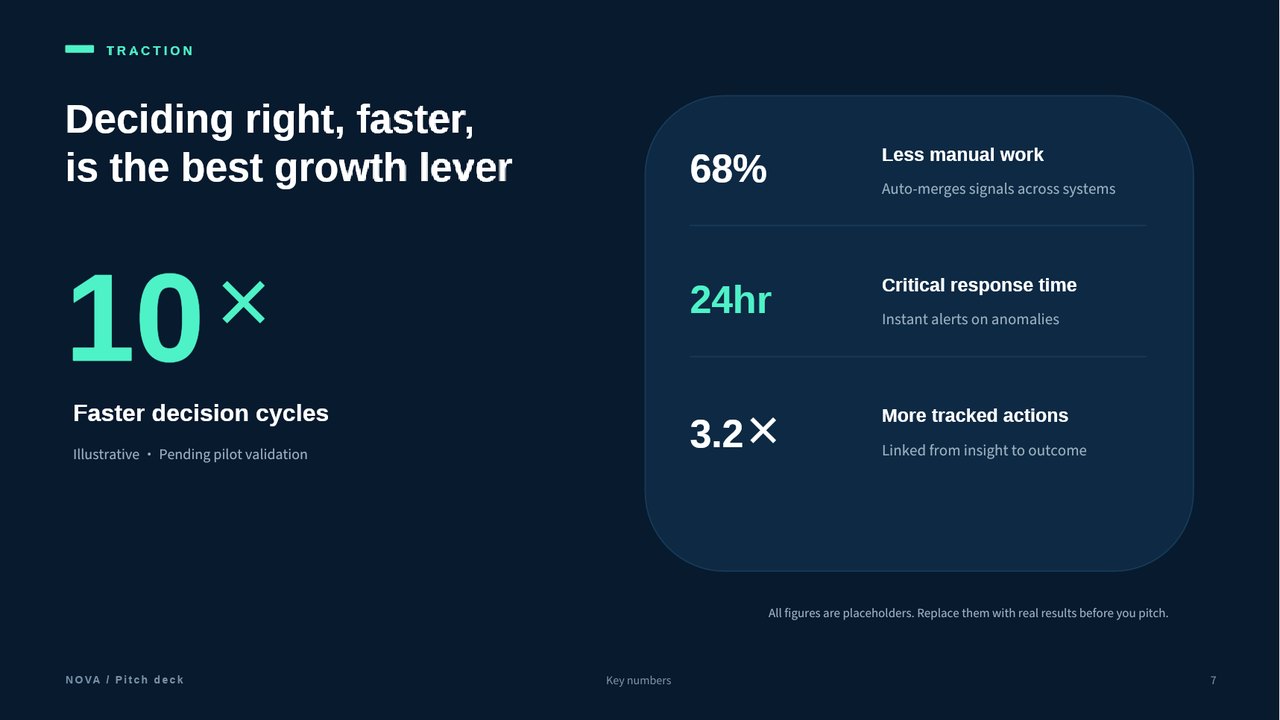
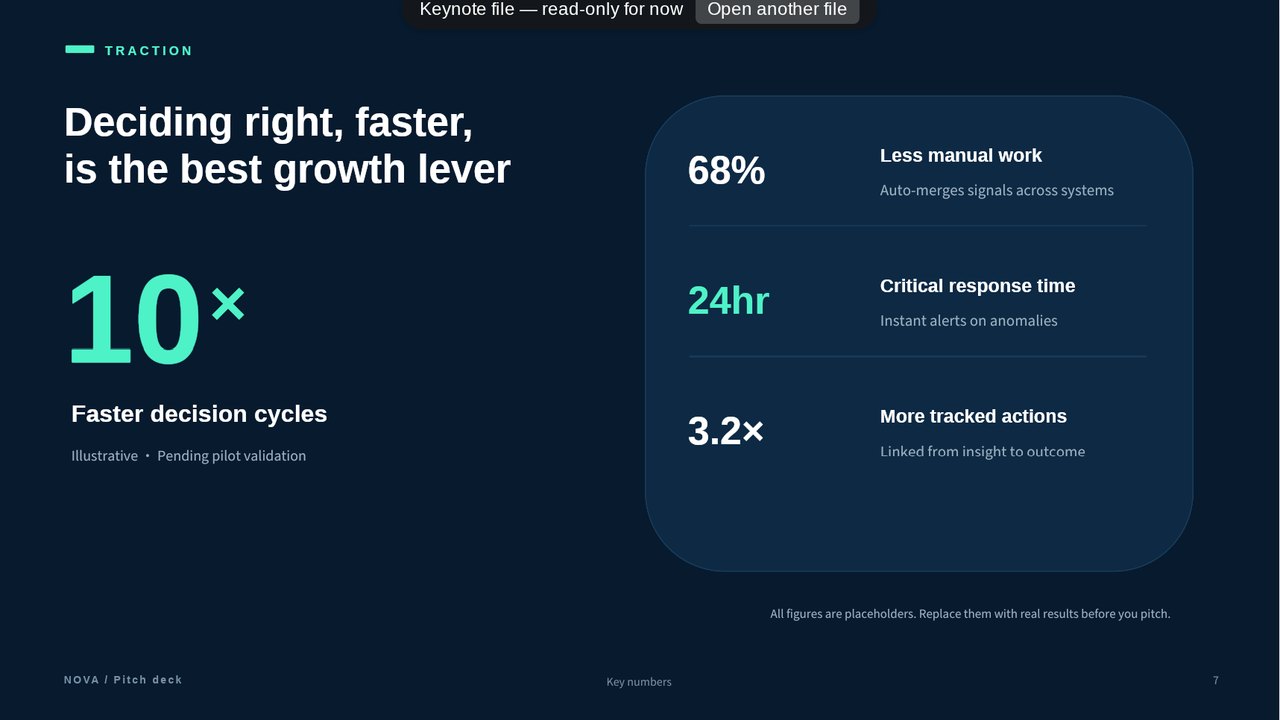
We uploaded a 12-slide sample pitch deck with animations and a font a Mac doesn't come with, then downloaded a Keynote file. You can download the PowerPoint; the result is shown as screenshots.
What stayed editable
- All 12 slides came over.
- All 249 paragraphs of text were still text when we read the Keynote file back into Dock.
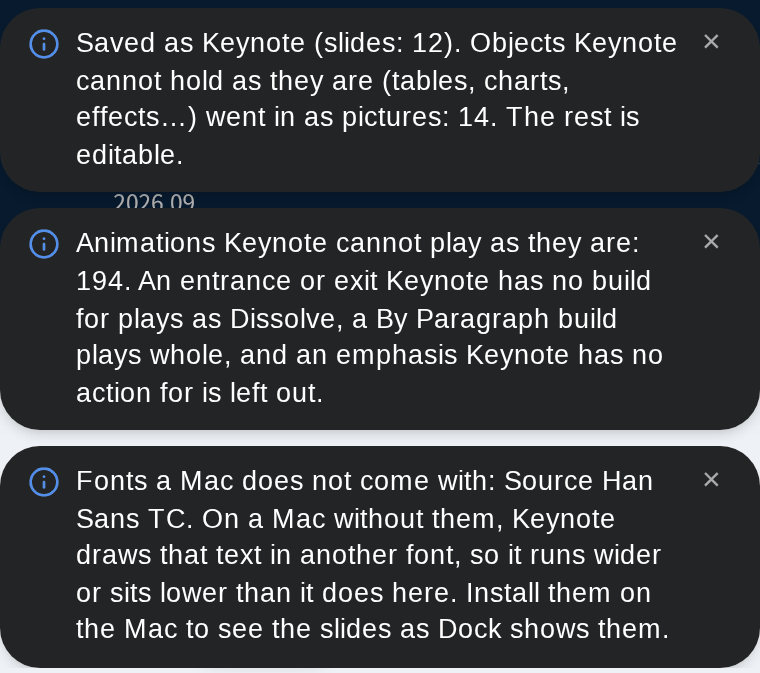
- Dock reports the rest as editable in Keynote, apart from the 14 objects that went in as pictures.
What changed, and the limits
- 14 objects went in as pictures, because Keynote can't hold them as they are. You can't edit those in Keynote.
- 194 animations can't play as they did. An entrance or exit Keynote has no build for plays as Dissolve, a By Paragraph build plays whole, and an emphasis Keynote has no action for is left out.
- The × signs on slide 7 are smaller in the Keynote file.
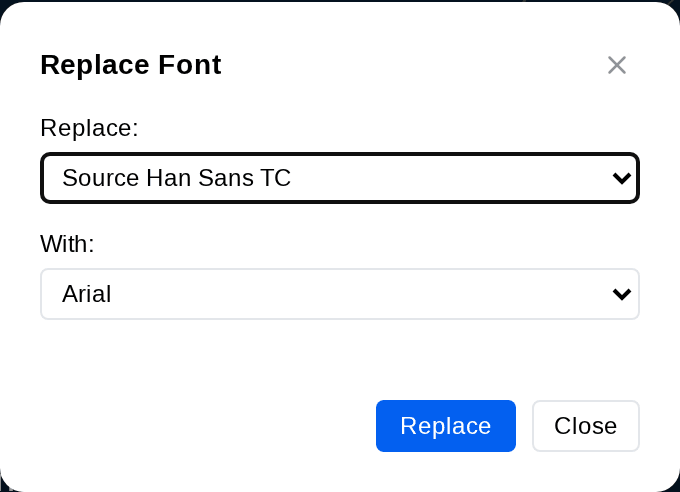
- Dock named one font a Mac doesn't come with, Source Han Sans TC. We switched it to Arial with Replace Fonts and downloaded again, and the font notice was gone. What Replace Fonts changes and what it leaves.
- We read the Keynote file in Dock's viewer, not in Keynote on a Mac, so Keynote may draw it differently.
Convert PowerPoint to Keynote in three steps
- 1
Upload
Sign in to Dock and upload your .pptx or .pptm file.
- 2
Check
Look through the slides in the editor.
- 3
Download
Download a Keynote file. If Dock names a font a Mac doesn't come with, switch it with Replace Fonts and download again. You can also download a PPTX to send back.
Frequently asked questions
Can I convert PowerPoint to Keynote without Keynote installed?
Yes. Dock opens .pptx files in the browser and exports a Keynote (.key) file, on any computer.
Will the fonts change?
They can, when the deck uses fonts your Mac doesn't have: Keynote then draws the text in another font. A Keynote file can't carry fonts, so when you download one, Dock names the fonts in the deck that a Mac doesn't have. Switch them with Replace Fonts and download again before you open the file.
Can I send it back as PowerPoint?
Yes. Dock exports both Keynote (.key) and PowerPoint (.pptx) files from the same deck.
Is there a watermark?
No. No plan adds a watermark, Free included. The Free plan includes 3 exports a month.
Start from the slides you have
Upload the PowerPoint file, check what you need, then download a Keynote file.